Orchestrator
One chat that knows what is on your machine and delegates: start a session, continue last night's work, ask a bot, check a server. Pick any signed-in model to run it.
Public beta · free and open source (MIT)
T3 Unity puts one Orchestrator chat above Claude Code, Codex and Hermes, your GrokBot bots and your machines. Say or type what you want; it routes the work, starts sub-agents and tells you how it went.
Live diagram · hover a node
01What it does
T3 Unity is a fork of T3 Code, the open-source GUI for coding agents. It keeps everything T3 Code does and adds a single conversation above all of it.
One chat that knows what is on your machine and delegates: start a session, continue last night's work, ask a bot, check a server. Pick any signed-in model to run it.
GPT Live for real-time conversation through your ChatGPT sign-in, or local voice that never leaves your computer: Silero VAD, Parakeet and Breeze TTS on your GPU.
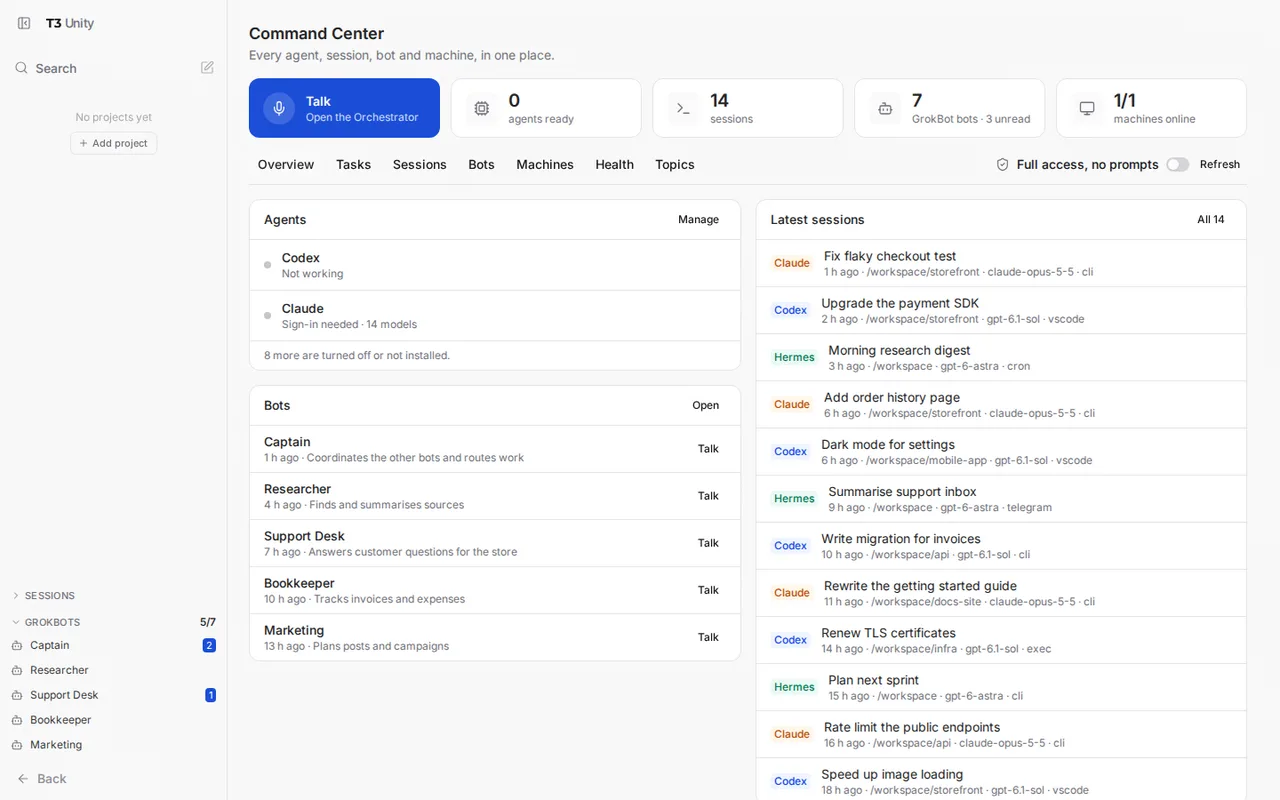
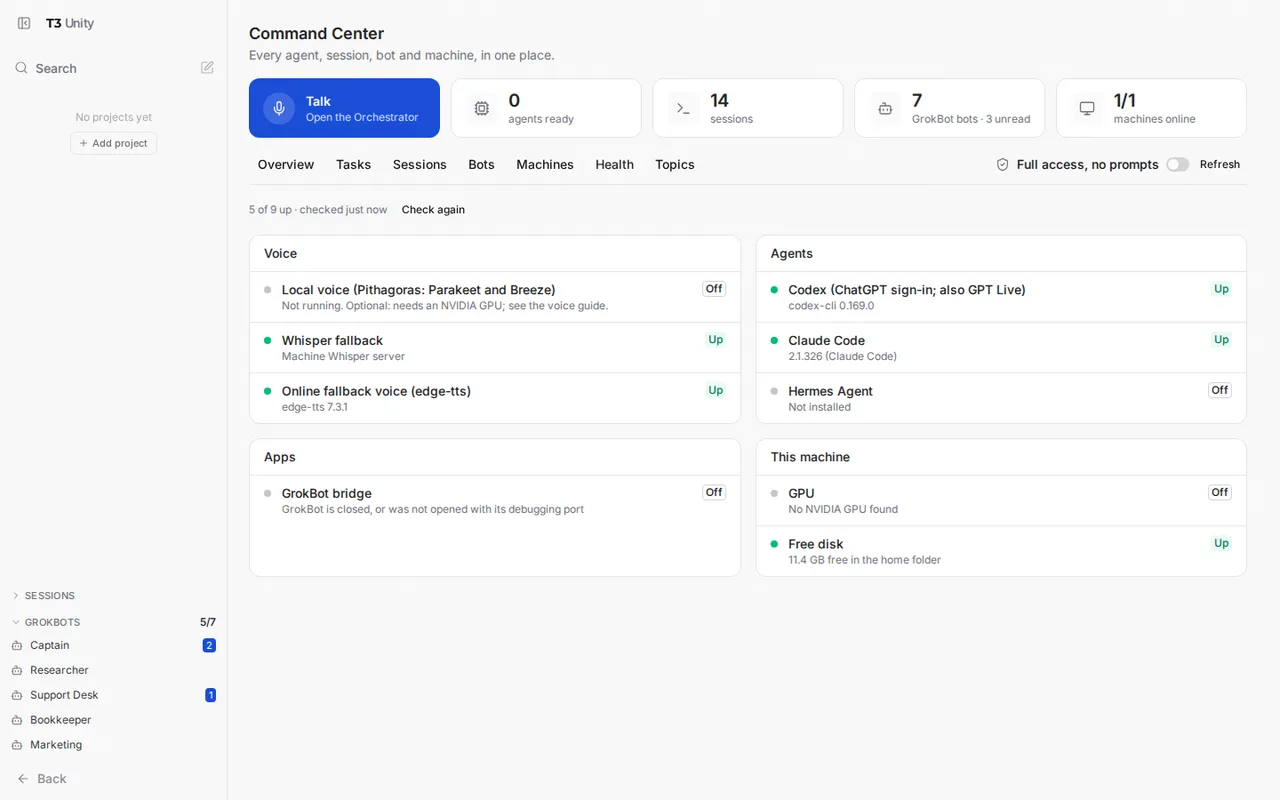
Every agent, session, bot and machine on one page, a Health view of every service, a Tasks board, and named topics that keep sending work to the same session.
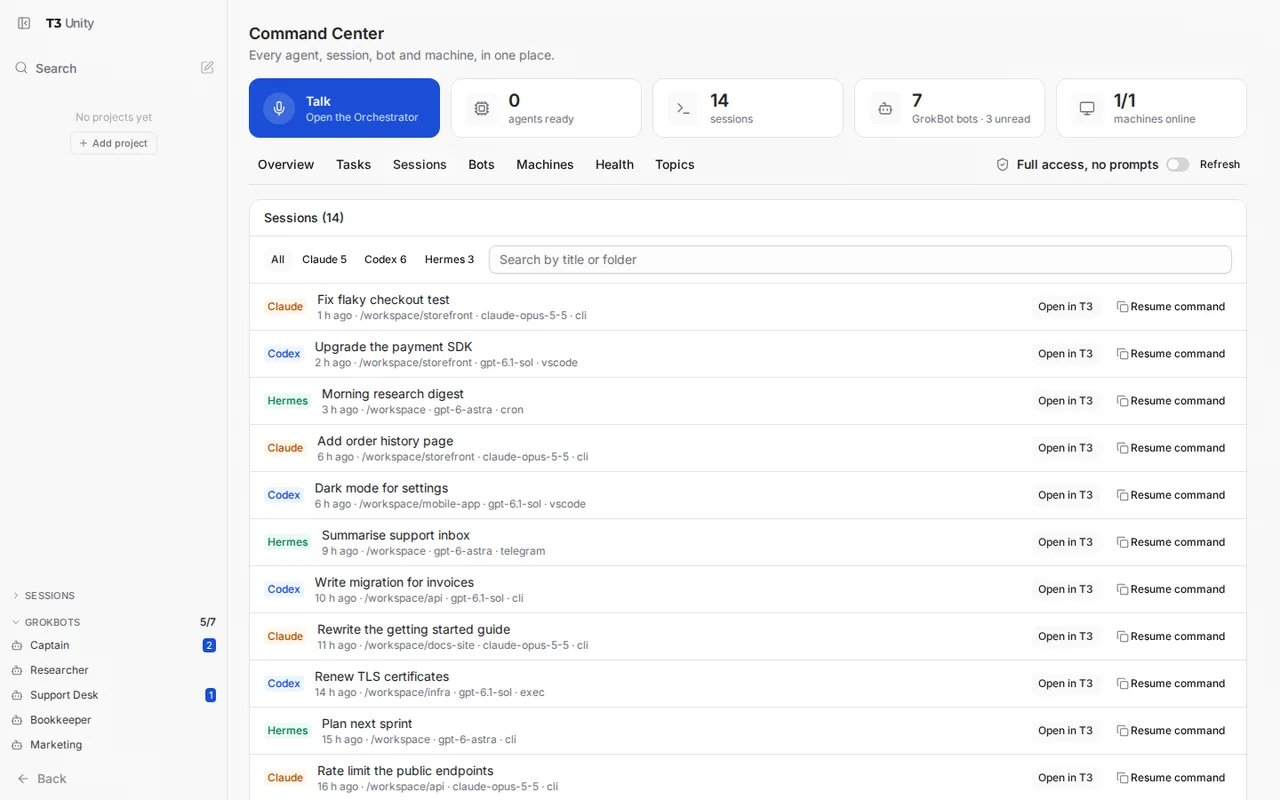
Claude Code, Codex and Hermes sessions, including the ones you started in a terminal, found and continued in one click. Or copy the resume command.
Read and message your GrokBot bots without switching apps. Unread badges, your five most-used bots pinned in the sidebar, and voice chat with a bot.
Your tailnet at a glance, and a console to run a command on any online machine over SSH. Reach T3 Unity itself from your other devices with Tailscale.
The Orchestrator hands work to helpers on the right model, in parallel when it can. The Tasks board shows each one.
unity_inventory unity_topics unity_bot unity_machine_run, so your agents can use them too.
No T3 Unity account, no API keys, no fee. It drives the agent CLIs you sign in to yourself.
02The Orchestrator
03Voice
Press the voice button and speak normally. Talk over a reply to interrupt it, say “hang up” to end. The call keeps going while you open other threads.
OpenAI's real-time voice, through your ChatGPT sign-in.
Speech recognition and speech on your own GPU.
In every mode, the text of what you asked is handled by the model you chose for the Orchestrator, exactly as if you had typed it. Local voice keeps your audio private; it does not make the agent itself local. No GPU? Local mode falls back to a Whisper server and edge-tts voices, or use GPT Live.
04Command Center
05Install
You need Docker, about 12 GB of free disk and 8 GB of memory, and a subscription for at least one agent. The first build takes 10 to 25 minutes on its own.
On Windows, in PowerShell: .\installer\install.ps1. Try it with --dry-run first; nothing changes.
http://localhost:3780/pair
Example code. A code works once and for 10 minutes.
The installer's choice and the safer one: agents can touch only your projects folder.
A service under your own account. The Command Center sees your whole machine, sessions, tailnet and GrokBot.
T3 Unity in its own window, running its own server. Linux .deb is the tested one; Windows .exe and macOS .dmg are built for each beta, unsigned and not yet tested by hand.
Orchestrator, voice, threads, approvals and notifications from your phone. An APK during the beta, not on Google Play. iPhone: Safari and Add to Home Screen.
06Screenshots
07Public beta
T3 Unity works day to day for its authors. Expect rough edges, and tell us what breaks.
Safety in one paragraph. T3 Unity lets AI agents run commands on your computer and lets you steer them remotely. Keep it on your own computer or your tailnet, never on a public address; keep Ask for approval on unless you have decided otherwise; pair only your own devices.
08Open source
T3 Unity is a fork of T3 Code and owes it nearly everything: the server, the clients, the provider adapters. The code, the manual and the installer are all in the repository.
Bug reports and focused fixes are welcome. Pull requests get an automatic first review from Codex and a decision from a maintainer.
09Donate
T3 Unity costs nothing and has no account. If it saves you time, a donation helps pay for the testing machines and the hours.
One-off, any amount, card or PayPal balance.
Donate with PayPalGoes to stridr5555@gmail.com
0x3D9b44E1aDe40371CFDAC6ae6E45A858705B0e0E
Send only USDC or USDT, and only on Base or Arbitrum. Other tokens, or these tokens on any other network (Ethereum mainnet, BNB Chain, Tron, Solana and others), may be lost for good. Check the address after you paste it.